Google Launches Nano Banana Pro: Advanced AI Image Creation & Editing
Nano Banana Pro can now be accessed through the Gemini AI app or website. It allows users to edit, upload, create, and even collapse images with their preferred resolution and aspect ratio. While free users have limited access, Pro and Ultra subscribers receive additional benefits.
Google has recently launched Nano Banana Pro, a new image-creation and editing engine that represents the company’s latest advancement in AI tools. The latest Gemini AI 3 model was also introduced, and it was noted that the company’s stock value increased following the announcement. The new feature offers enhanced visual input capabilities. The model has now been updated forGemini AI 3, reflecting the rising demand previously seen in the previous model.
About Nano Banana Pro
The previous model, Nano Banana, could make pictures, restore old photos, and create mini figurines, while the new model can do all of that in a smarter way. The update offers professional-grade creative controls, higher resolution, and better text rendering. It is designed for professional creators. It is available across various Google and partner platforms. While limited access has been provided to free users, paid subscribers receive higher quotas and access to additional features.
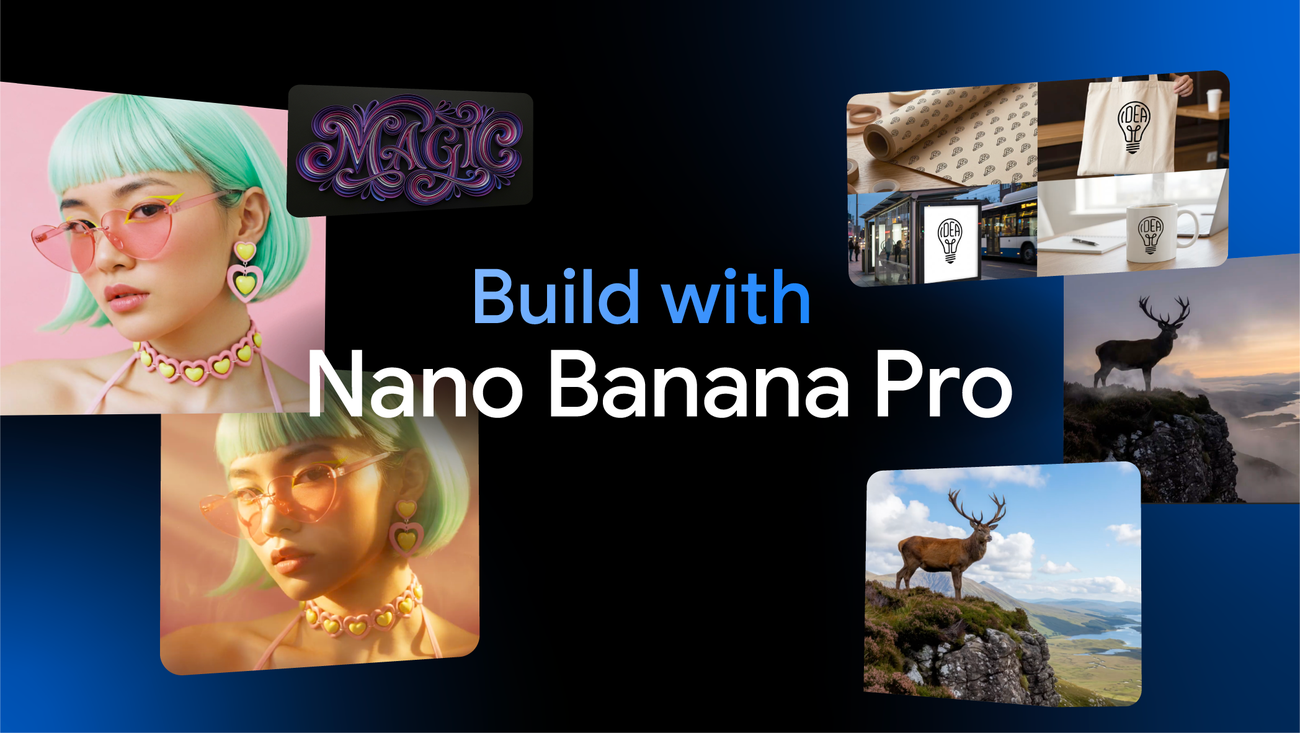
Enhanced Images with Google's Nano Banana Pro (Source: Google Blog)
How To Use Nano Banana Pro?
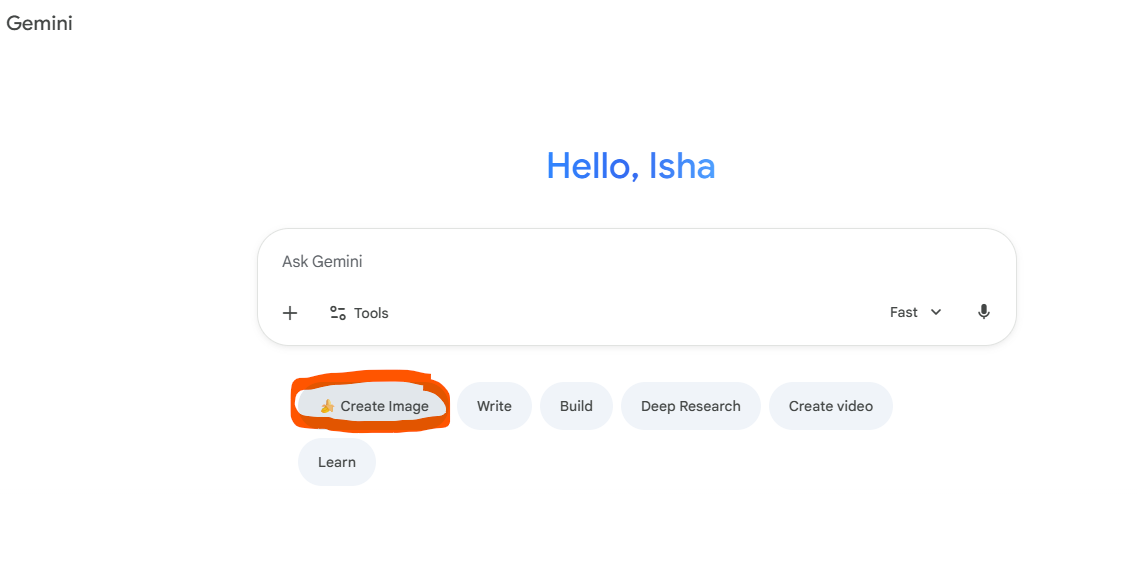
To access the feature, open the Gemini AI 3 app or website and select Create Image under the thinking model, as shown in the reference image. As per need users may describe the image they wish to create, upload it and even create a collage or cluster of upto fourteen images. The tool allows you to refine your creation by adjusting elements, adding text, or shifting camera angles. Users can also connect it to Google Search to incorporate real-time information. Before exporting the final image or photo you may have enhance its resolution and aspect ratio.
Gemini AI Create Image (Source: Gemini AI)
Advantages of Nano Banana Pro
Users can now blend as many as fourteen images into one unified composition, and if their photos include up to five people, the model maintains consistent appearance across all outputs. It can transform rough sketches into polished products or convert blueprints into life like 3D visuals. Aesthetics whether colours, styles, or branding can be applied to mockups with ease. Beyond this, Nano Banana Pro provides advanced, studio-level editing tools that let you modify selected sections without altering the rest of the image.
Users may shift camera angles, refine focus, adjust lighting, and add effects such as turning daylight scenes into night or introducing elements like bokeh. The system includes colour-grading options as well. Finished images can be downloaded in 2K or 4K, suitable for social media, websites, or print. Google has also integrated SynthID, its AI watermarking technology, to promote responsible use: every generated or edited image carries an invisible Google AI signature. Free and Pro users will see a small “sparkle” mark, while Ultra subscribers have the option to remove the visible watermark.
Share this article
The link has been copied!
Members Discussion
Your link has expired. Please request a new one.
Your link has expired. Please request a new one.
Your link has expired. Please request a new one.
Great! You've successfully signed up.
Great! You've successfully signed up.
Welcome back! You've successfully signed in.
Success! You now have access to additional content.
What’s Coming Next?
Explore our upcoming features, author interviews, and deep-dives into new policy reforms.